If you manage website content, social media assets, e-commerce listings, or internal documentation, you’ve probably faced the same recurring headache: the files you receive arrive in HEIC, TIFF, PNG, WebP, and other wildly different formats. Within minutes you need JPG previews for approvals, transparent PNG logos for design mockups, and WebP copies for production. Traditional image converter apps often demand uploads, logins, or subscriptions, and desktop utilities can introduce compression artifacts or fail on edge cases. ImageConverter.dev exists to make “convert image formats in the browser” a dependable, pleasant experience. It’s a truly free image converter online—no quotas, no watermarks, and every operation runs locally on your device.
This article walks through the product philosophy, interaction design, and performance strengths of this browser-first image converter. You’ll learn how the tool handles webp to png, png to jpg, heic to webp, and dozens of other format combinations, helping individual creators and teams maintain a streamlined, trustworthy conversion workflow.
The Problems It Solves
- Fragmented formats across teams: Source files arrive from photographers, designers, or clients in incompatible formats. With the ImageConverter.dev image converter, you can normalize every asset into the exact outputs you need in seconds.
- Privacy and compliance pressure: Contracts or internal policies often ban uploading sensitive assets to third-party services. Because every conversion happens in the browser, this tool keeps assets on-device and compliant.
- Performance and compatibility juggling: Websites demand WebP for performance, social platforms insist on JPG, and design workflows still require PNG or SVG. Quick actions like
png to jpgandwebp to pnglet you produce channel-specific versions without sacrificing quality. - Time-critical handoffs: When a campaign launch or client review is due, waiting for heavy desktop exports or cloud queues is risky. This free image converter online provides drag-and-drop simplicity and second-long downloads, compressing the conversion step to the bare minimum.
Feature Highlights
- 100% local processing, zero privacy risk: Every convert image formats action on ImageConverter.dev runs inside your browser. No file leaves your device, and the tool keeps working even if you go offline after the page loads.
- Comprehensive format coverage: Built-in support for 21 conversion paths spanning PNG, JPG, WebP, SVG, HEIC, AVIF, TIFF, and GIF meets the needs of web teams, photographers, and designers alike.
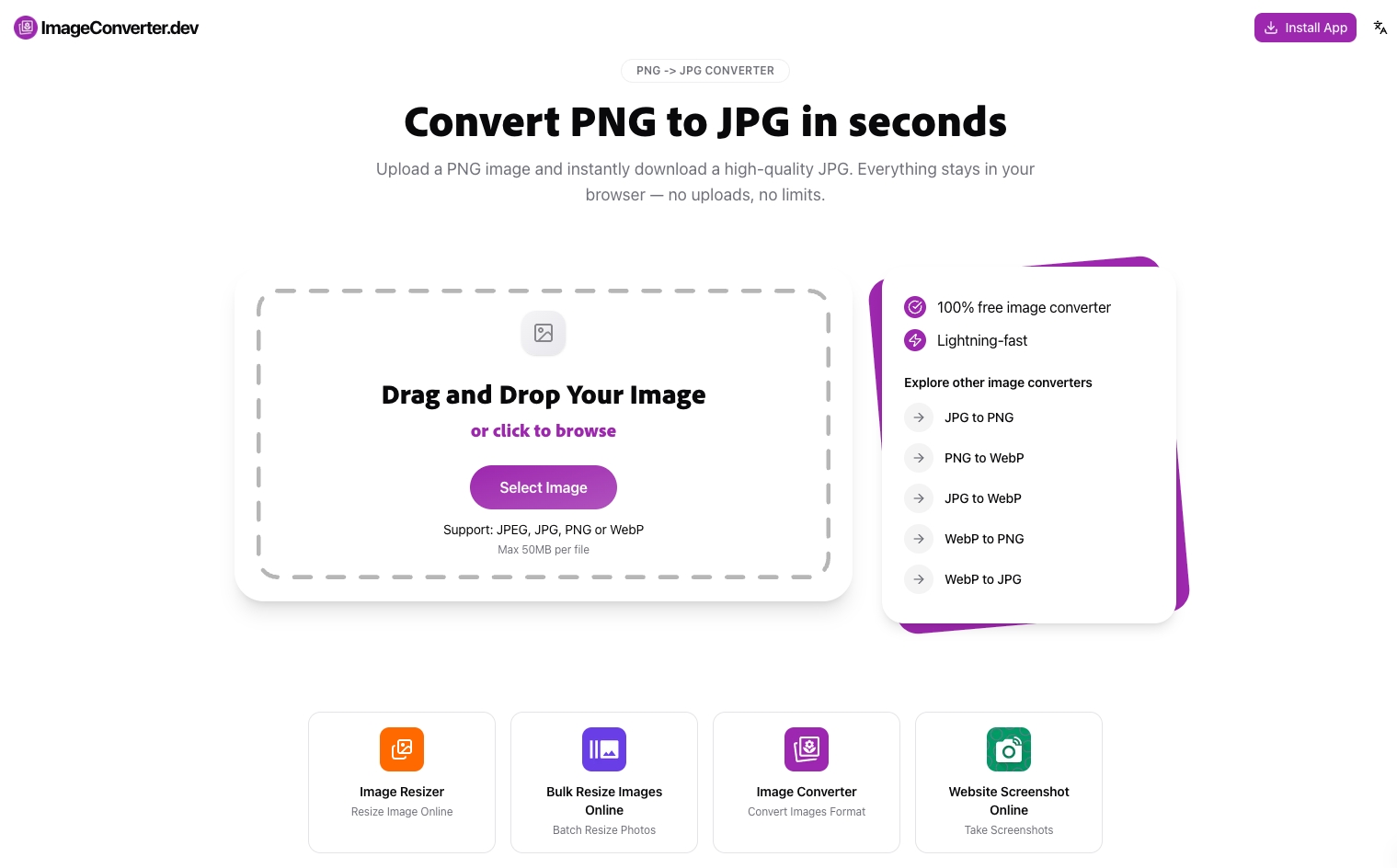
- Drag-and-drop workspace: Accepts drag-and-drop or manual file selection, filters out non-image uploads, and enforces a 50 MB per-file limit with clear prompts if a file is too large.
- Smart detection and recommendations: The app detects the source format and suggests a sensible target—for example, recommending JPG when you load a PNG, or PNG when you drop in an SVG—reducing guesswork.
- Instant quality and size feedback: After each conversion, the interface shows dimensions and file size immediately. JPG and WebP outputs provide a quality slider so you can dial in the right balance of clarity and compression.
- Connected tool ecosystem: Quick links to sister apps such as Resize Image and Bulk Resize let you chain single-file conversions, bulk resizing, and screenshots in one cohesive workflow.
Interface and Workflow: Drag, Drop, Convert
When you launch the tool, you’re greeted by a clear hero area: a large dashed drop zone with a “Select Image” button, followed by shortcut cards for popular conversions like PNG to JPG, JPG to PNG, or HEIC to WebP. The layout follows a “workspace left, insights right” structure. Once you pick a file, the left column shows a live preview and source details, while the right column presents output settings, quality controls, and the download button. Rounded cards, subtle gradients, and an intuitive hierarchy match the product family’s visual language, so newcomers can grasp the flow in under a minute.
The micro-interactions reinforce a sense of control. The drop zone highlights while you drag a file over it; a preview appears instantly after selection; the progress overlay clarifies that conversion happens locally; and descriptive toasts guide you when a format isn’t supported or a file exceeds the limit. No server round-trips means these responses feel immediate, regardless of network conditions.
Three-Step Conversion Flow
ImageConverter.dev distills conversion into three deliberate steps, each backed by thoughtful safeguards:
- Select or drop your image: The tool processes one file at a time so you can inspect every result. MIME-type checks and fallback detection handle modern formats like HEIC and AVIF that desktop OSes sometimes struggle with. Oversized uploads trigger a warning while preserving compliant files.
- Configure the output: Switch among JPG, PNG, or WebP targets—covering current and legacy distribution needs. A 30–100% quality slider appears for JPG/WebP to control compression, while PNG outputs disable the slider to guarantee lossless results.
- Download instantly: As soon as the process finishes, the UI displays the converted file’s resolution and size and suggests a clean filename (e.g.,
banner-final.heicbecomesbanner-final.jpg). One click kicks off the download—no queues or email links to wait for.
Format Coverage and Practical Applications
The format matrix is designed for modern content teams:
- PNG ⇄ JPG ⇄ WebP triangle: Converting
png to jpgflattens transparency and shrinks file size for social and email. Switching to WebP provides superior compression for the web. The tool keeps original dimensions and automatically fills a white background when exporting to JPG from a transparent source. - SVG conversions: Paths like
svg to png,svg to jpg, andsvg to webprasterize vector assets locally, giving you crisp bitmaps ready for CMS uploads or email clients that don’t support SVG. - HEIC / AVIF / TIFF / GIF support: Dedicated routes such as
heic to png,avif to webp,tiff to jpg,gif to png, andgif to webphandle smartphone captures, archival scans, and legacy animations. Whether you’re prepping HEIC photos for stakeholders who only understand JPG or producing WebP from TIFF scans, everything happens in one consistent interface. - Reverse conversions for compatibility: When collaborators can’t open WebP assets,
webp to pngregenerates editable versions instantly, keeping workflows smooth across design tools.
Every conversion pair also has its own SEO-friendly deep link at /image-converter/{slug}, so you can bookmark or share precise tasks with teammates.
Quality Controls and File Management
Professionals care about striking the right quality-to-size balance, and the tool’s live feedback makes that easy. The default 92% quality value is tuned to preserve clarity while trimming kilobytes. As you adjust the slider down toward 75%, the projected file size updates immediately, guiding decisions for CMS uploads, performance budgets, or email attachments. PNG exports remain fully lossless by design, preventing unintended degradation.
Information panels show the source’s format, pixel dimensions, and file size, then contrast it with the converted output. This side-by-side visibility keeps you aware of the trade-offs and helps you revert quickly if a setting doesn’t meet expectations. Behind the scenes, ImageConverter.dev cleans up temporary object URLs whenever you pick a new file, so long sessions with dozens of conversions don’t bloat browser memory.
Real-World Use Cases
- Web performance optimization: Before deploying a marketing site, drop in designer-exported PNG or TIFF assets, convert them to WebP, and tune the quality slider to keep hero imagery under 300 KB. Because all work happens locally, the process fits neatly into pre-deployment checklists without extra infrastructure.
- Brand and commerce assets: Marketing teams often need both transparent PNG logos and lightweight JPG thumbnails. Start with the high-quality PNG, run
png to jpgfor social campaigns, and convert stored WebP icons back to PNG for edit-ready files—no loss of fidelity between iterations. - Cross-team collaboration: Clients regularly provide HEIC or AVIF originals. Designers can run
heic to webporavif to jpgand immediately share versions that stakeholders can open on any device. With no upload involved, even sensitive NDA-bound projects stay compliant.
Ecosystem Synergy and Expansion
ImageConverter.dev is part of a wider suite of privacy-first utilities—alongside Resize Image, Bulk Resize, and Website Screenshot—that all share the “no account, no watermark, no upload” philosophy. Convert a single file here, then follow the quick link to the bulk resizer for dimension changes, or hop into the cropper to adjust composition before exporting the final format. Internationalization support means the UI automatically presents localized copy, making onboarding effortless for globally distributed teams.
Best Practices and FAQs
- Can I use it offline? Yes. Once the page loads, you can switch to airplane mode and the image converter will keep working without an internet connection.
- What about batch processing? The main interface focuses on single-file control so you can inspect every conversion. For bulk work, pair the app with Bulk Resize, which includes batch dimension changes plus format switching.
- How do I manage backgrounds? Exporting transparency to JPG automatically fills with white. If your brand needs a specific backdrop, add it in your design tool first, then run
png to jpgto keep colors consistent. - Tips for GIFs? Use
gif to pngorgif to jpgto capture a static cover, or choosegif to webpfor a modern animated format that cuts bandwidth while staying sharp.
Final Thoughts: More Time for Creativity
In a world of nonstop content iterations—from feed updates to product shots—what teams really need is a trustworthy, always-available image converter that stays out of the way. ImageConverter.dev combines on-device privacy, careful quality controls, and extensive format coverage to turn convert image formats into a three-step routine. Whether you’re a solo developer, an agency designer, or a marketing pod juggling multiple channels, add this free image converter online to your toolkit. Use it for webp to png, png to jpg, heic to webp, and beyond, then reinvest the saved time into storytelling and design.